
The Snapix media kit
Everything you need to write about Snapix — logos, screenshots, brand colors, and ready-to-paste copy. Grab the whole kit, or take just what you need.
.zip · ≈ 1.3 MB · app v2.1.28 · free to use in articles about Snapix
Snapix at a glance
The quick facts, and copy you can lift straight into a post.
- Product
- Snapix
- What it is
- Screenshot & annotation app for macOS
- Platform
- macOS 14 (Sonoma) and later
- Category
- Productivity / Utilities
- Price
- $3.49/month, $29.88/year, or $79 lifetime — 14-day free trial, no card
- Availability
- Direct download (notarized app) at snapix.app
- Maker
- Elisei Nicolae — independent developer
- Latest version
- v2.1.28
- Website
- snapix.app
- Press contact
- support@snapix.app
Copy-and-paste descriptions
Snapix is a fast, private screenshot app for Mac.
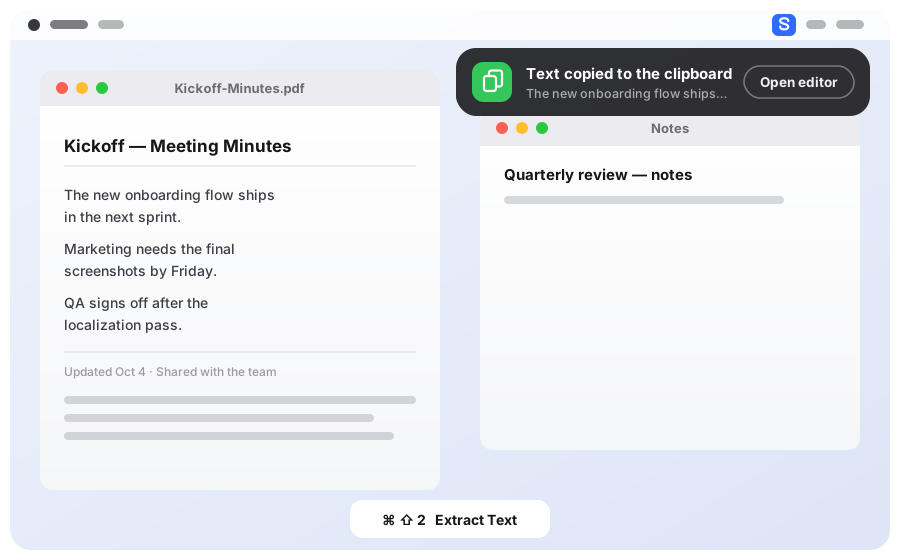
Snapix replaces the built-in macOS screenshot tool with one-click capture, a 16-tool annotation editor, blur and redact tools, and on-device text extraction (OCR) — all running on your Mac.
Snapix is a screenshot app for macOS 14 and later that lives in your menu bar and replaces the built-in capture tool with professional features. It captures area, window, or full-screen shots with pixel-perfect crosshairs, then drops each one into a floating preview to copy, save, pin above every window or drag straight into any app — and one click opens the editor to annotate with 16 tools, blur sensitive data or extract text with on-device OCR. After a 14-day free trial, Snapix Pro is $3.49/month, $29.88/year, or $79 for a lifetime license; it is a direct download, built and supported by independent developer Elisei Nicolae.
Logos & screenshots
Vector wherever it matters, so the marks stay crisp at any size. Click a format to download.

Icon + wordmark. The primary mark.

The rounded-tile mark, on its own.

For dark backgrounds. Icon + white wordmark.
1200×630 — for link previews.
Please don't
- Recolor the mark or swap in your own gradient.
- Stretch, squash, rotate, or skew it.
- Add drop shadows, outlines, or other effects.
- Set it on a busy background that hurts legibility.
Please do
- Use the SVG whenever you can — it stays sharp at any size.
- Give the logo clear space so nothing crowds it.
- Place it on backgrounds with enough contrast to stay legible.
Colors & type
The palette is lifted 1:1 from the app. Click any swatch to copy its hex.
The Snapix website and marketing use DM Sans, a free typeface from Google Fonts. The Mac app itself uses Apple's system typeface, SF Pro, like every native Mac app. Set anything alongside the brand in DM Sans.
"DM Sans", -apple-system, BlinkMacSystemFont, "Segoe UI", Roboto, Helvetica, Arial, sans-serif 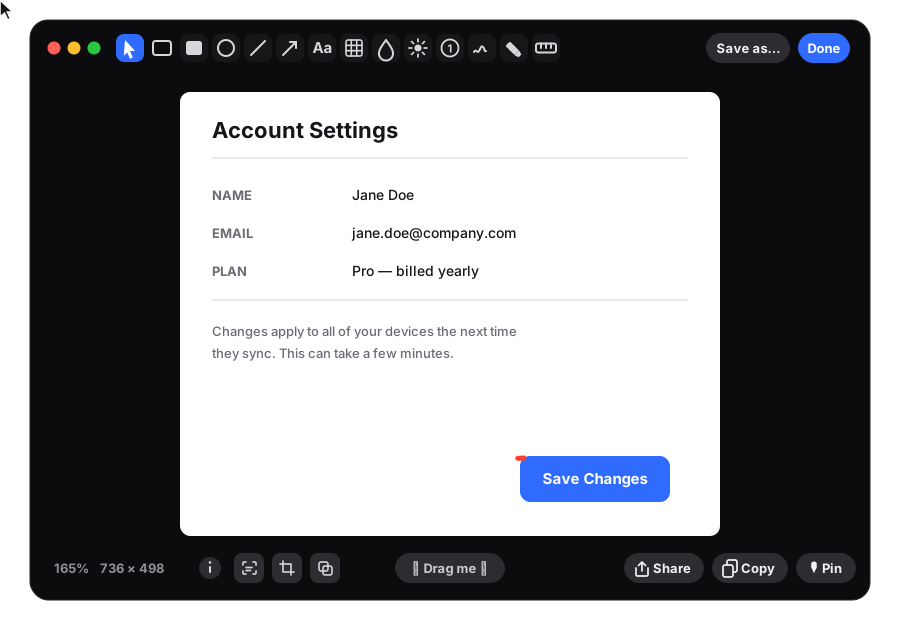




Talk to the person who builds it
Snapix is designed, built, and supported by one person. Reviews, interviews, or a question — you'll reach a real reply.

Press & review copies
Usually a reply within one business day. Happy to send a review license on request.
Download kit